 by
by
 by
by
Your AI sends callers links during the call. Callers text back addresses, emails, and details that need to be exact. No more spelling errors or miscommunication.
Phone conversations are great for understanding intent but terrible for getting exact details right. How do you spell "Tchaikovsky"? Is that email "john.smith" or "johnsmith"? Is the address "1523" or "1532"?
Traditional phone systems force callers to spell things out letter by letter. "S as in Sam, M as in Mary..." It's slow, frustrating, and still prone to errors.
PhoneFlow solves this by blending voice and text. During the call, the AI can send a text message to the caller's phone. The caller texts back the exact information needed. No spelling, no misunderstanding, no callbacks to verify details.
AI: "I'd like to schedule your service appointment. What's the address?"
Caller: "It's 1847 Szczepanski Boulevard, Apartment 12B"
AI: "That's a tricky one to spell out. I'll text you now - just reply with the full address and I'll have it exactly right."
[Text sent to caller: "Reply with your full service address"]
[Caller texts back: "1847 Szczepanski Blvd, Apt 12B, Milwaukee WI 53202"]
AI: "Got it. I have 1847 Szczepanski Boulevard, Apartment 12B in Milwaukee. What day works best for you?"
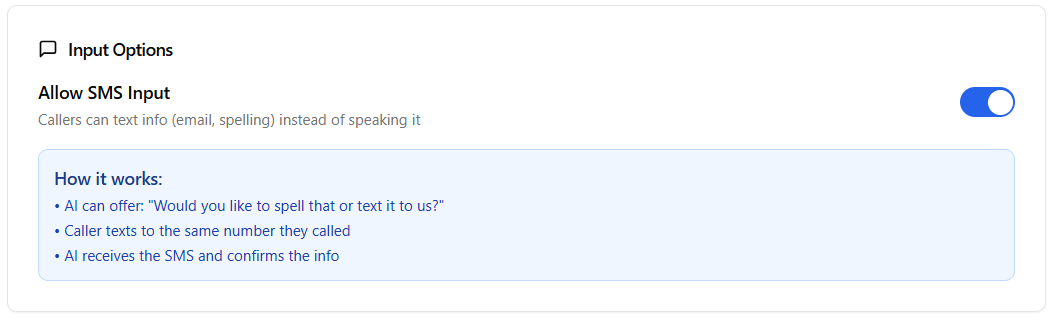
In-call texting configuration - send SMS messages during active calls
Text links while you're still on the phone with the caller
"I'll text you a link to book directly. You can choose the exact time that works for you while we're still on the phone."
Send a form link so callers can fill out detailed information at their convenience, with proper formatting and validation.
Text your office address, parking instructions, or directions. Callers have it saved on their phone for later.
Send links to pricing sheets, service lists, or preparation instructions during the call.
Link to client portals, payment pages, or secure upload forms for sensitive documents.
Text a summary of the call with next steps, so both parties have a written record.
The AI asks callers to text back details that need to be exact:
AI: "I'd love to send you more information. What's the best email?"
Caller: "It's my work email, j dot kowalczyk at northwestern dot edu"
AI: "Just to make sure I get that exactly right, I'll text you now. Reply with your email address."
[Caller texts back: "j.kowalczyk@northwestern.edu"]
AI: "Perfect, I have j.kowalczyk@northwestern.edu. You'll receive that information within the hour."
Small errors have real costs:
In-call texting eliminates these errors at the source, during the original conversation.
Book a demo call and experience how voice and text work together for perfect accuracy.
Book Your Assessment