 by
by
 by
by
Design call flows with our drag-and-drop canvas interface. Build conditional logic, department routing, and AI actions without writing code.
Traditional phone system routing is either too simple (press 1 for sales, press 2 for support) or requires expensive consultants to configure. PhoneFlow gives you enterprise-level routing in a visual interface anyone can understand.
Our canvas-based workflow builder lets you see your entire call flow at a glance. Drag nodes, connect paths, set conditions. Test changes instantly. No technical background required.
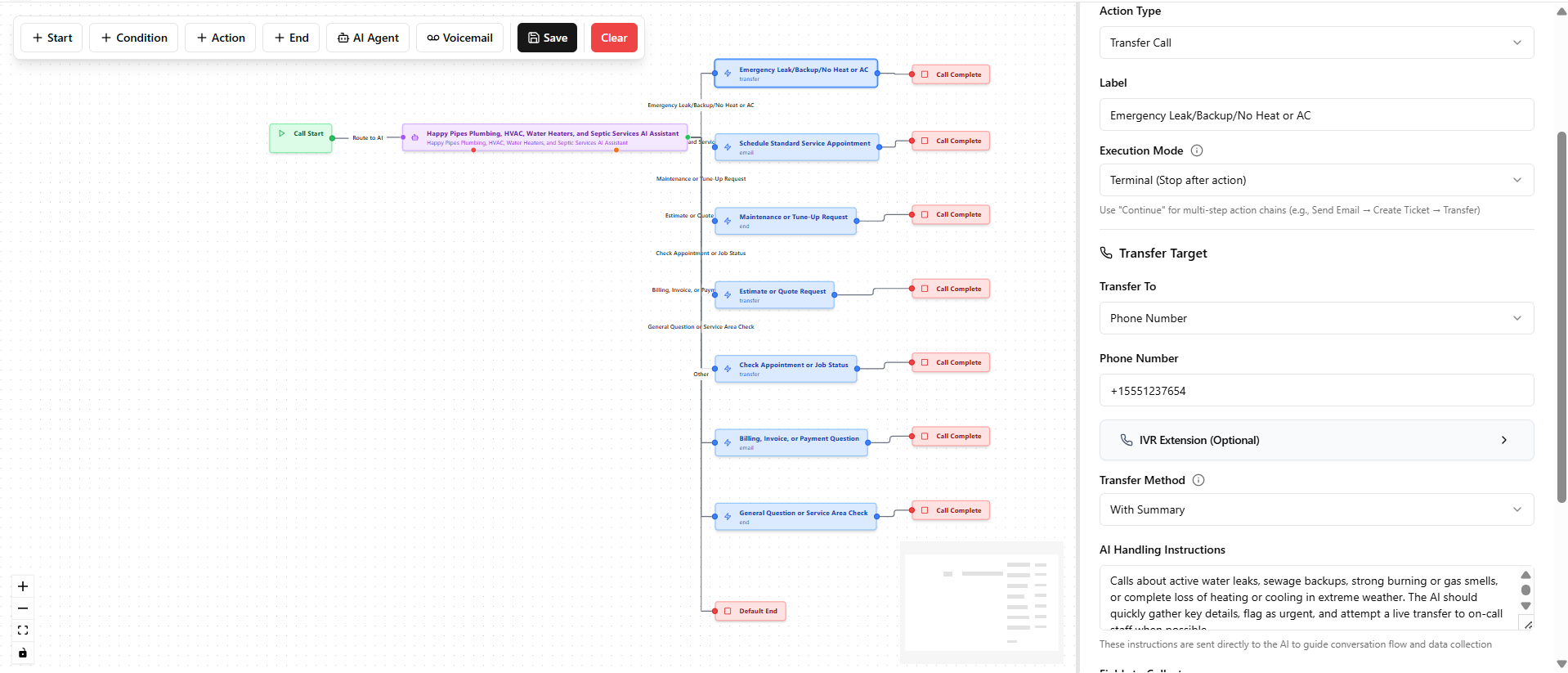
The PhoneFlow visual workflow canvas showing a complete call routing flow
Route calls based on time of day, caller ID, what they say, or data from your CRM. "If emergency, route to on-call. Otherwise, take message."
Send callers to the right team based on their needs. Sales inquiries to sales, support requests to support, billing questions to billing.
Connect to calendar booking at the right moment. "Would you like to schedule an appointment? I can check our availability right now."
Send in-call texts with links, forms, or follow-up information. Collect addresses and emails via text during the call.
Warm transfers with context, cold transfers, or transfer-to-voicemail based on availability. Set escalation paths when primary contacts don't answer.
Capture information at specific points in the call. Intake forms, lead qualification, appointment prep - structured data from natural conversation.
Here's how a contractor might set up their call routing:
All of this is visual. Drag the "Emergency" node, connect it to "Transfer to On-Call." Set the condition: "caller says emergency, leak, flooding, or urgent."
Unlike traditional IVR trees, PhoneFlow's routing is AI-powered:
The visual builder works for everyone:
For those who prefer not to touch it at all, our managed service team builds and maintains flows for you.
Book a demo to see how we'd design call routing for your specific business.
Book Your Assessment